Loading page

OutfitSnap: AI Outfit Planner
Real-body virtual try-on
Digital Wardrobe for iPhone
Organize the clothes you own in a digital wardrobe.
Photograph your real clothes, sort them into useful categories, browse your wardrobe from your phone, and connect those items to saved outfit looks.

Available for iPhone. Build your wardrobe from clothing photos you choose to add.
Direct answer
What is a digital wardrobe?
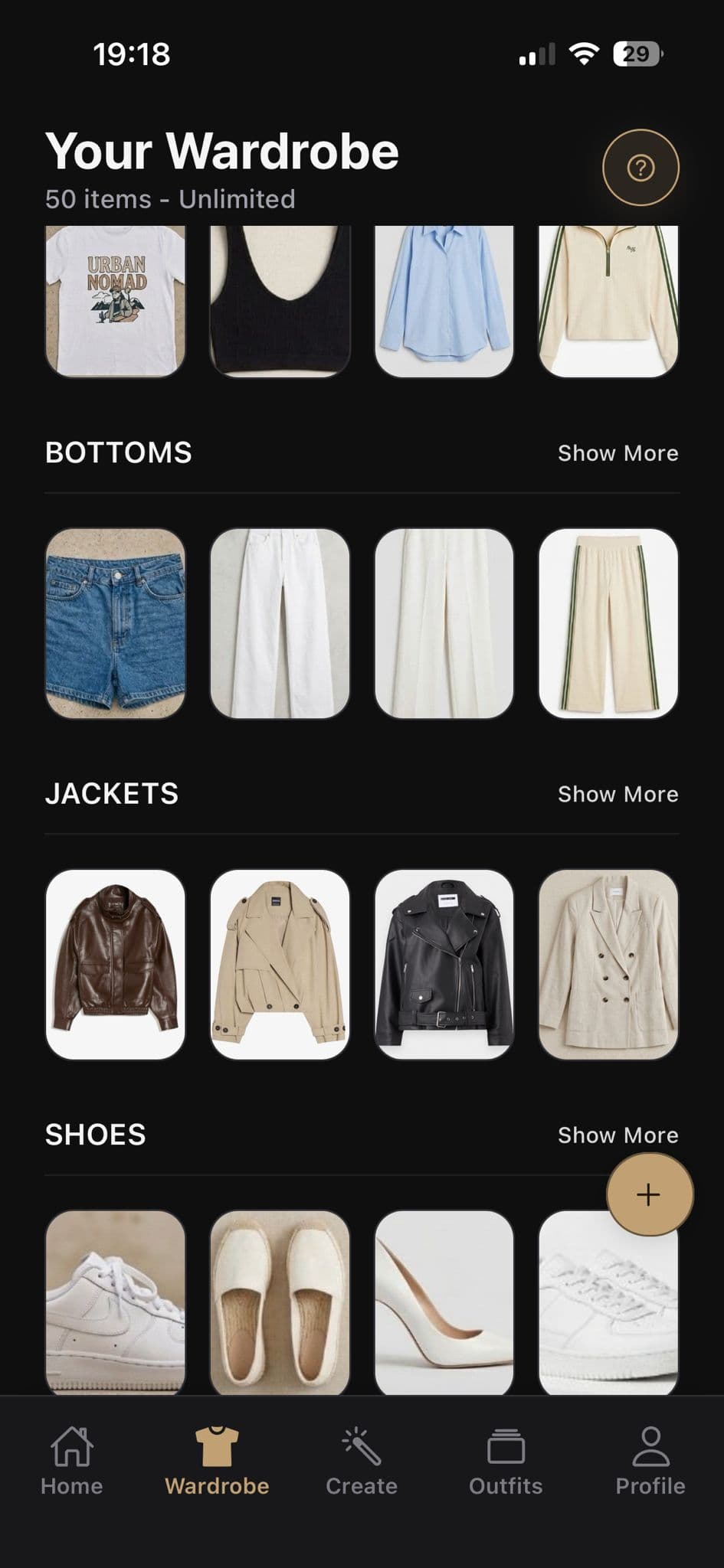
A digital wardrobe—sometimes called a virtual closet—is a visual collection of the clothes you own. OutfitSnap lets you add garment photos from your camera or photo library and organize them so they are easier to browse and use in outfit combinations.
You can browse clothing by category, filter the pieces you have added, and remove items you no longer want to keep. When you decide to build an outfit, those organized wardrobe items are ready to select.
Why it helps
Keep the clothes you own easy to browse
OutfitSnap gives clothing photos a clear place and category so your wardrobe is more useful than an unsorted camera roll.
Build from clothing photos
Add garment images from your camera or photo library instead of relying on a retailer account or purchase-history import.
Browse by clothing category
Keep tops, bottoms, outerwear, shoes, and accessories organized in a focused visual wardrobe.
Keep track of wardrobe items
Review what you have added, retry a failed upload when needed, and remove pieces you no longer want in the wardrobe.
Workflow
How to build your OutfitSnap wardrobe
The wardrobe grows from the clothing photos you choose to add and remains centered on pieces you actually own.
- 01
Photograph a clothing item
Use your camera for a new photo or choose an existing garment image from your photo library.
- 02
Organize the item
Place it in a supported category such as tops, bottoms, outerwear, shoes, or accessories.
- 03
Browse and filter
Review the wardrobe by category so it is easier to find the pieces you want to use next.
- 04
Maintain your wardrobe
Add another item when your closet changes, retry a failed upload, or remove a piece you no longer want to browse.
What you can do
A focused home for owned clothing
The wardrobe centers on clothing organization first, while outfit building and saved looks remain connected next steps.
Manage wardrobe items
Browse and filter clothing, retry failed uploads when needed, and remove pieces you no longer want in the wardrobe.
Use organized pieces in outfits
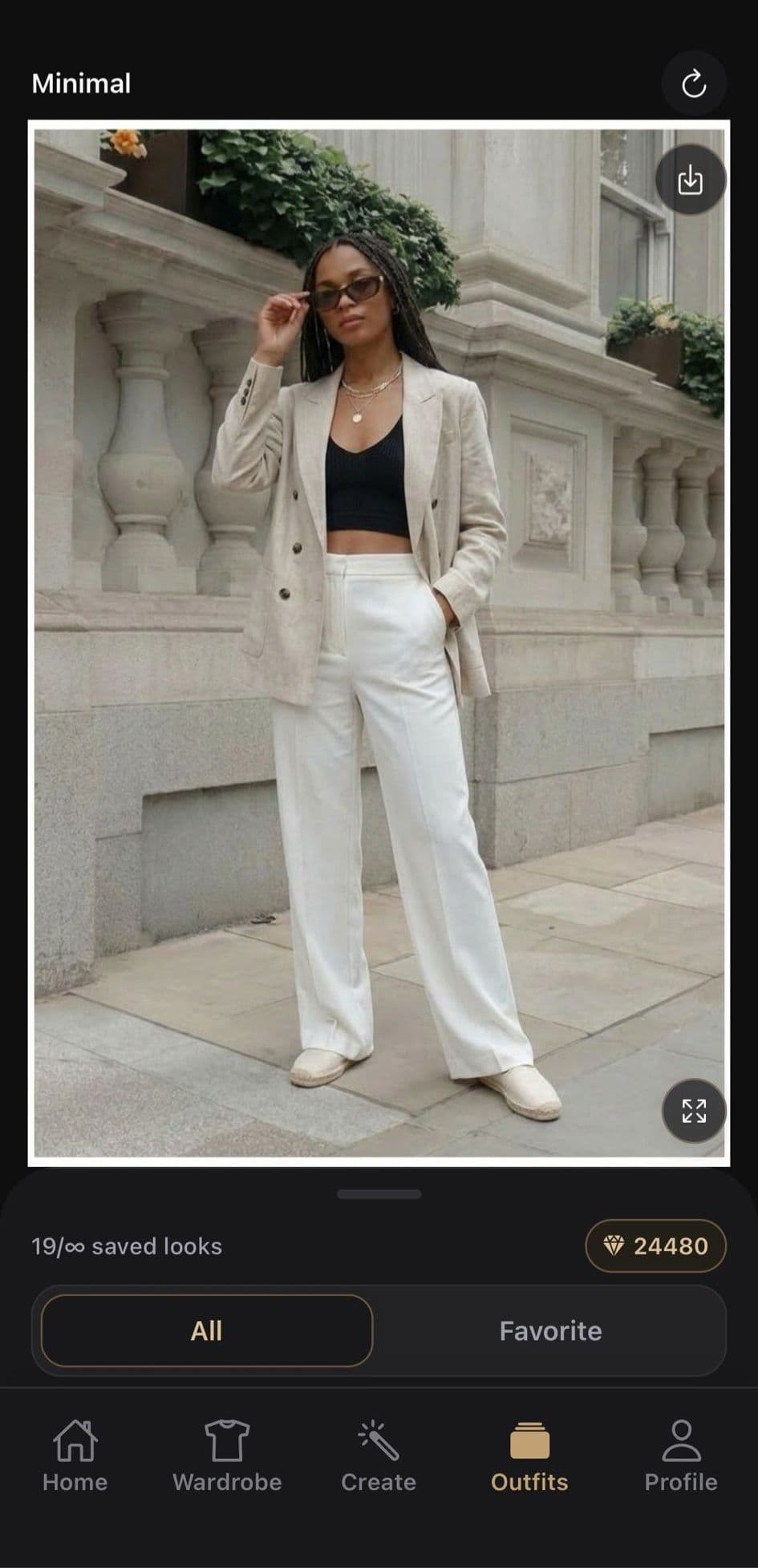
When you are ready to create a look, select the wardrobe items you want instead of searching through unrelated photos.
Keep saved looks separate
Outfits you save can be renamed, favorited, and grouped into collections without turning the clothing wardrobe into a results feed.
Good to know
A wardrobe you build—not an automatic retailer import
OutfitSnap's digital wardrobe is created from the clothing photos you add. It does not claim to import retailer accounts, purchase histories, or an entire physical closet automatically.
Your wardrobe is personal app content. OutfitSnap is not a public social wardrobe, marketplace, or browser-based closet tool.
Helpful answers
Questions about digital wardrobes
Clear answers about adding, categorizing, browsing, and managing clothing in OutfitSnap for iPhone.
Is a digital wardrobe the same as a virtual closet?+
The terms are often used for the same idea: a visual collection of clothing you own. OutfitSnap uses garment photos and categories to make that collection easier to browse.
Can I add my own clothes?+
Yes. Add clothing from your camera or photo library, then organize items into tops, bottoms, outerwear, shoes, or accessories.
Can I use wardrobe items to create outfits?+
Yes. Once your clothes are organized, you can select wardrobe pieces when building an outfit and keep the resulting look separately.
Is OutfitSnap a wardrobe organizer for iPhone?+
Yes. OutfitSnap is an iOS-first app for adding clothing photos, browsing wardrobe categories, and using those organized items when you create outfits.
Explore OutfitSnap
Use the wardrobe you organize
Get the iPhone app
Put your wardrobe where you can use it.
Download OutfitSnap for iPhone to photograph your clothes, organize wardrobe items, and keep favorite looks together.