Loading page

OutfitSnap: AI Outfit Planner
Real-body virtual try-on
Outfit Maker for Your Own Clothes
Create outfits from clothes you already own.
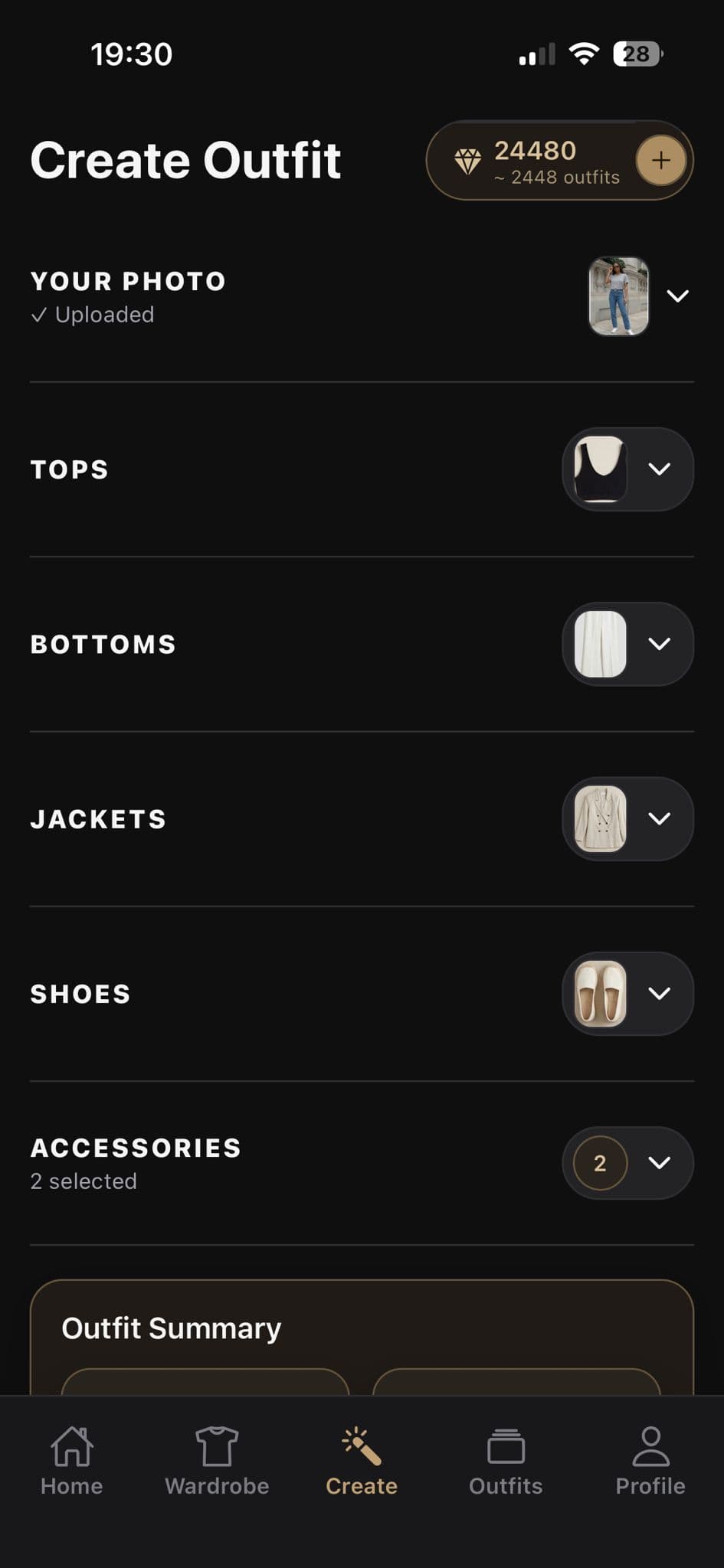
Choose tops, bottoms, outerwear, shoes, and accessories from your OutfitSnap wardrobe, then mix, compare, and save complete combinations.

Available for iPhone. You choose every piece that goes into the combination.
Direct answer
What is an outfit maker?
An outfit maker helps you bring separate clothing pieces together into a complete look. OutfitSnap starts with your digital wardrobe: you choose each top, bottom, layer, pair of shoes, or accessory and build the combination deliberately.
OutfitSnap does not act as an autonomous personal stylist. It does not choose a perfect outfit, make weather-based recommendations, or schedule a week of looks. You decide what to combine and use the preview to compare your ideas.
Why it helps
Make outfit ideas practical
The goal is not an endless feed of clothes you do not own. It is a clearer way to combine, visualize, and keep track of your own pieces.
Choose from your own wardrobe
Start with the tops, bottoms, outerwear, shoes, and accessories you have already added to OutfitSnap.
Swap pieces and compare
Change a top, bottom, layer, pair of shoes, or accessory when you want to test a different combination.
Keep combinations organized
Save useful results, rename them, favorite them, and group outfits into named collections.
Workflow
How to create an outfit in OutfitSnap
You make the styling choices from the first selected item through the combination you decide to keep.
- 01
Open your wardrobe
Start with the clothing photos you have already organized by category in OutfitSnap.
- 02
Build the combination
Choose the top, bottom, outerwear, shoes, and accessories you want to bring together.
- 03
Review the selected pieces
Check the complete selection and swap any item that does not belong in the combination you want to test.
- 04
Preview and keep the look
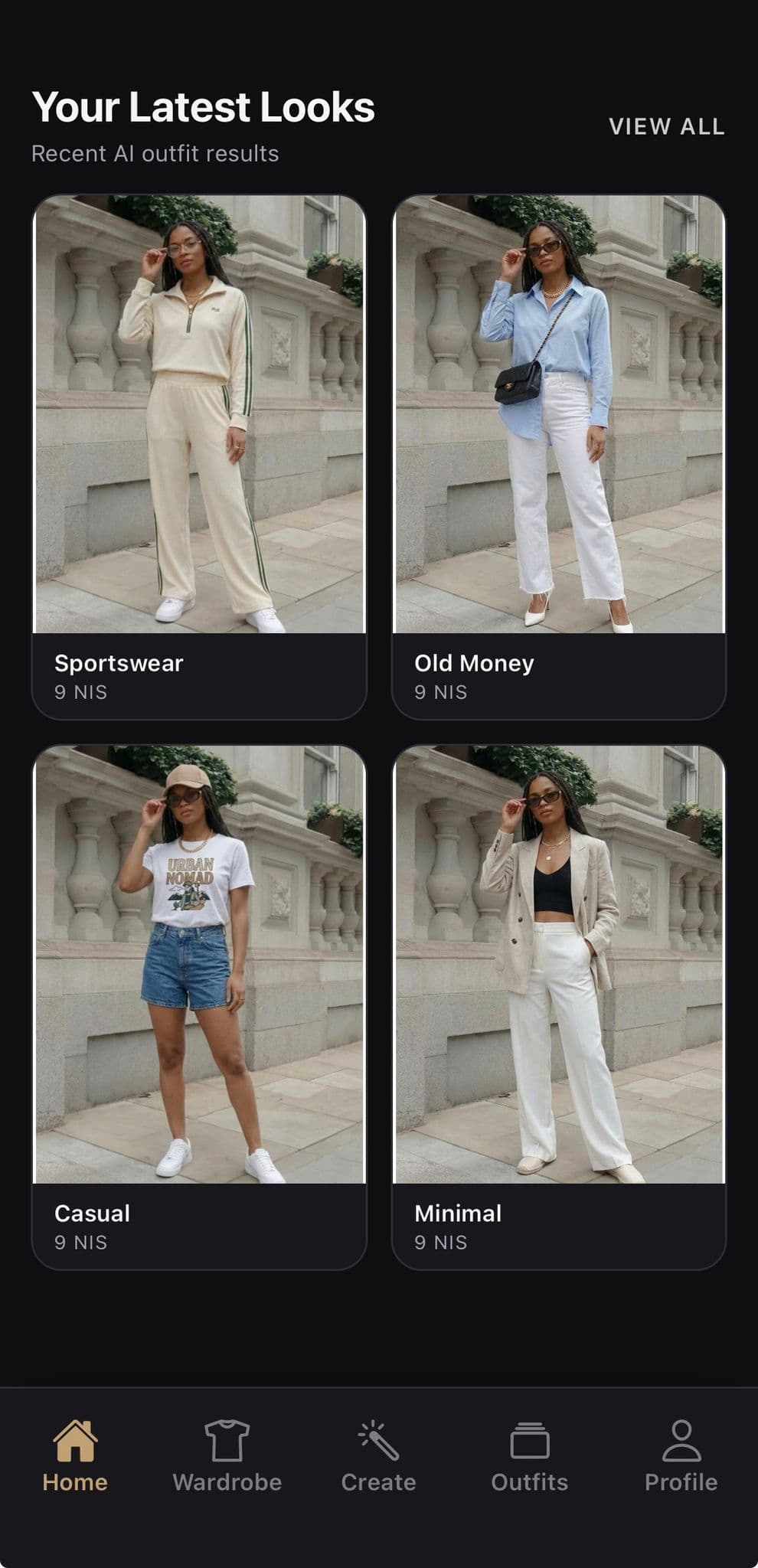
Create the body-photo visualization, compare the result, and save, favorite, or organize a combination that works.
What you can do
An outfit builder that keeps you in control
OutfitSnap uses AI for visualization while leaving the creative decision about which pieces belong together with you.
Mix and match deliberately
Try a different top, bottom, layer, pair of shoes, or accessory when you want to compare another combination.
Compare complete combinations
Use the generated body-photo result to compare one deliberate selection with another, while keeping control of every input.
Build a reusable look library
Saved outfits and collections help turn one-time experiments into ideas you can find again.
Good to know
You choose the outfit
OutfitSnap does not claim to choose a perfect outfit or provide professional personal-stylist recommendations. There are no verified weather-based suggestions or automatic weekly schedules in this workflow.
The generated result is a visualization. It can help compare combinations, but it is not a sizing, measurement, or physical-fit guarantee.
Helpful answers
Questions about creating outfits
Clear answers about selecting, swapping, comparing, and saving combinations made from your wardrobe.
Can I create outfits using only clothes I own?+
Yes. Build your OutfitSnap wardrobe from real clothing photos, then select those items when creating a look.
Does OutfitSnap choose the outfit for me?+
No. You choose the clothing pieces you want to combine. OutfitSnap uses those inputs and your body photo to generate the visual preview.
Can I save an outfit after I create it?+
Yes. Generated looks can be saved, renamed, favorited, downloaded or shared, and organized into named collections.
Can I use the outfit maker on the web?+
OutfitSnap's current production experience is an iOS app for iPhone. This website explains the app and sends users to the App Store; it is not a browser outfit generator.
Explore OutfitSnap
Build from a wardrobe, then see it on you
Get the iPhone app
Turn your own clothes into outfit ideas you can see.
Download OutfitSnap for iPhone to choose wardrobe pieces, preview the combination on your body photo, and save the looks you like.